How to create your victory animation
On the paid plan, describe your celebration: Stoloros creates a short video in about two minutes, and it plays on the leaderboard at your big moments.
Your victory animation is a short video made for you from a few words. It plays on the leaderboard when you win a competition, take first place, or at the other moments you choose.
Who it's for
Managers and sales reps · Paid plan
Before you start
- Your team is on the paid plan. Otherwise the page shows an example and, for managers, Upgrade to the paid plan.
- Your team still has generations left this month: the page shows how many, for example "2 generations left this month".
Steps
Create your animation
- Click your name at the top right, then Victory animation. You can also open My profile and choose the Victory animation tab.
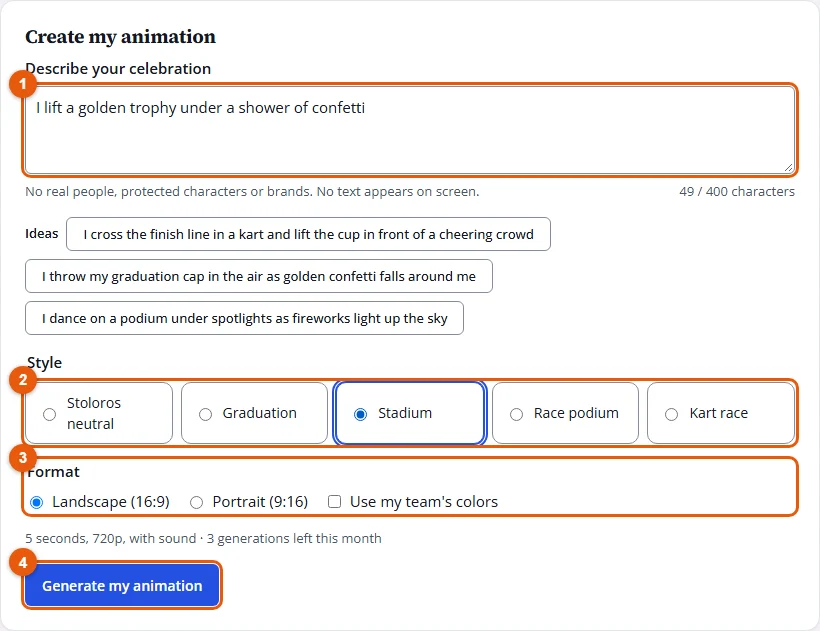
- Under Describe your celebration, write what you want to see, in English or in French, 400 characters at most. Click one of the Ideas to start from an example.
- Choose a Style: Stoloros neutral, Graduation, Stadium, Race podium or Kart race.
- Choose the Format, Landscape (16:9) or Portrait (9:16), and tick Use my team's colors if you want them in the scene.
- Click Generate my animation. The History shows its progress; it takes about two minutes. You can leave the page: a notification arrives in the bell when it is ready.
Use it on the leaderboard
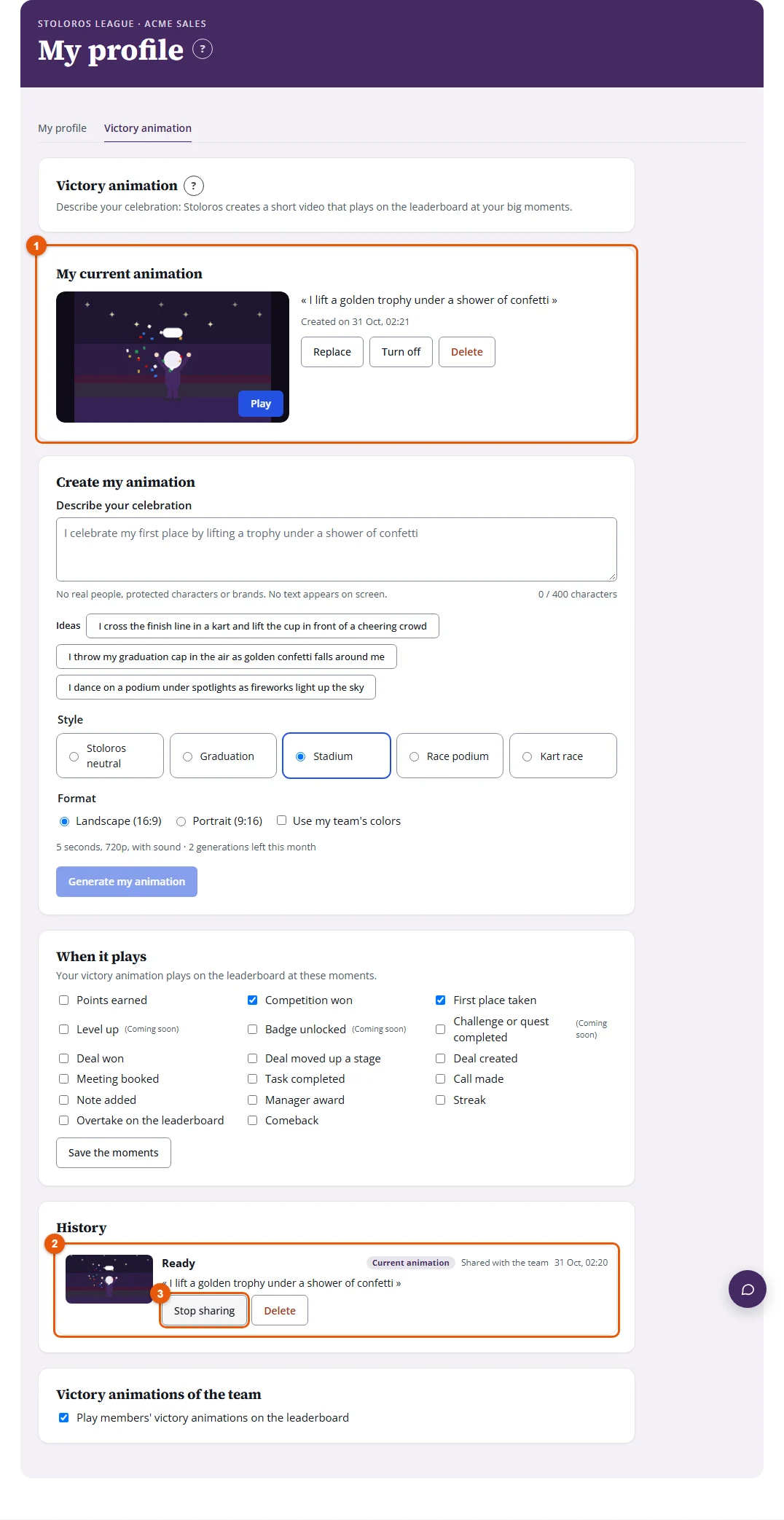
- In the History, click Use as my victory animation on a ready animation. It appears under My current animation.
- Under When it plays, tick the moments that should play it, then click Save the moments.
- To show it to your team, click Share with my team: it appears in the Team AI animations tab of the Animation Library.
Result
At the moments you chose, your animation plays on the leaderboard, muted, before the usual animations. Click Turn the sound on to hear it.
Good to know
- Real people, protected characters and brands are refused, as are sexual, violent or hateful descriptions. A refused description does not use a generation, and a clear message says why.
- If a generation fails, the generation is given back and Try again starts it again.
- No text appears in the video. It lasts a few seconds, with sound when the service provides it.
- Only the members of your team can see your animations. Delete removes the video and its files; a deleted generation still counts in the month's total.
- Managers can turn off members' victory animations on the leaderboard with Play members' victory animations on the leaderboard, at the bottom of the page.
- If your device is set to reduce motion, nothing plays by itself: click Play.
FAQ
Why can't I use my profile photo?
The video service refuses pictures of real faces. Describe a character instead: it will not look like a real person.
How many animations can I create?
Your team has a number of generations each month, shared by all members (3 by default). New ones arrive on the 1st of the month.