How to import GIFs from the online library
Search trending GIFs and memes, preview one and import it into your animation library to use it in ceremonies and cheers.
The Online library tab of the animation library connects Stoloros to a GIF provider. You browse trending GIFs and memes or search by keyword, then import the ones you like. An imported GIF works like an animation: for a celebrated winner, for the encouragement moment or for cheers between colleagues.
Who it's for
Managers · Free plan
Before you start
- You are signed in as a manager.
- The Stoloros hosting has a GIF provider key. Without it, the tab says the online library is not available yet.
Steps
Find a GIF
- Click Animation library in the top bar, just to the right of Manager area.
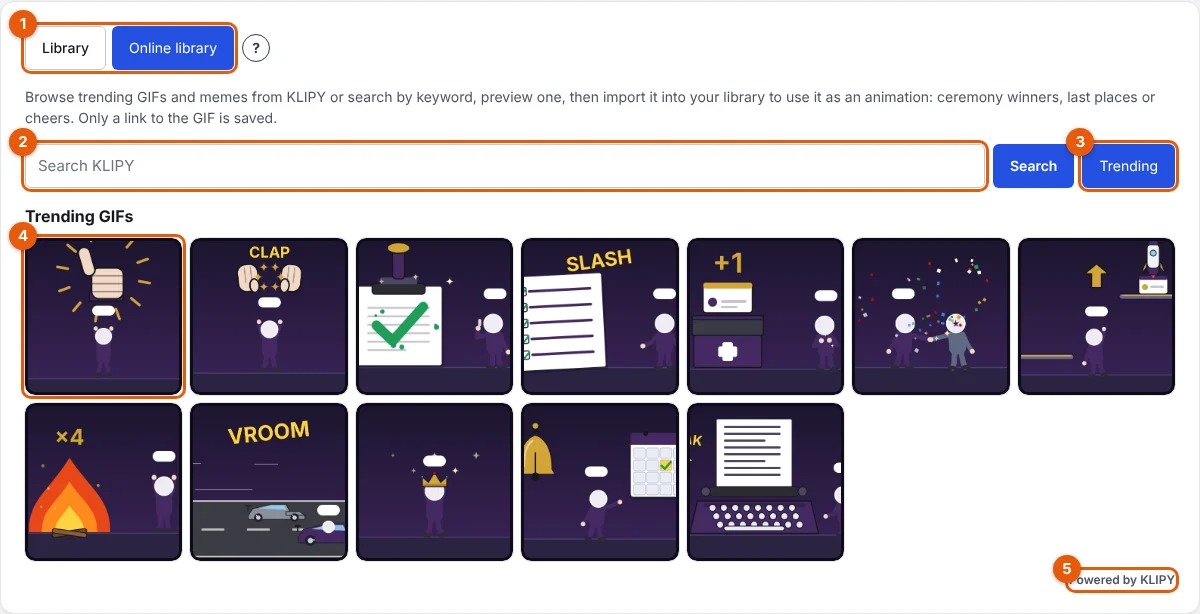
- Open the Online library tab (1 on the screenshot). Trending GIFs show first.
- Type a word in the search field (2), for example "applause", then click Search. Results come in your account language.
- Click Trending (3) to go back to the trending GIFs. Click Show more under the results to see more.
- Click a GIF (4) to preview it. The provider's mark (5), for example "Powered by KLIPY", stays next to the results.
Import it into your library
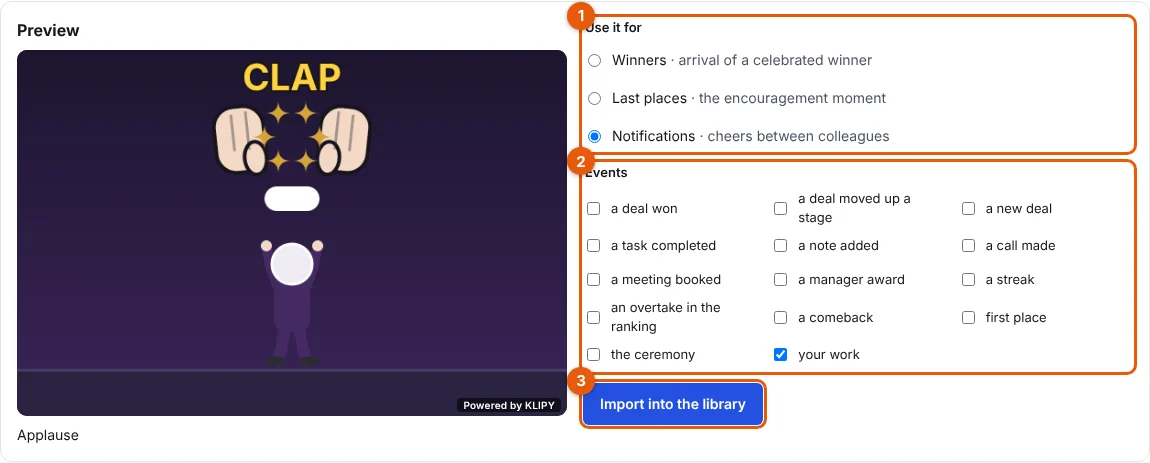
- Under Use it for (1), choose where the GIF goes:
- Winners: arrival of a celebrated winner in the ceremony.
- Last places: the encouragement moment.
- Notifications: cheers between colleagues.
- Under Events (2), tick the moments it suits, for example a deal won. your work means any event. A Notifications GIF needs at least one event.
- Click Import into the library (3). A message confirms the GIF is in your library, in its category.
Result
The GIF appears on the Library tab, in its category, with the Online GIF badge. A Winners or Last places GIF is offered in Rewards and ceremony, under Imported GIFs. A Notifications GIF is offered to your team in the Animation tab of Send a cheer, for the events you ticked.
Good to know
- Results are filtered at the strictest content level the provider offers, for professional use.
- Stoloros saves only a link to the GIF (the provider's ID and addresses), never a copy of the file. The GIF is shown from the provider, with its mark.
- All searches go through Stoloros: the provider key never reaches your browser.
- Your library holds up to 60 imported GIFs. Remove one before importing more.
- On a device set to reduce motion, the GIF shows a still image.
- If the provider's request limit is reached, a message asks you to try again a little later.
FAQ
Why does the tab say the online library is not available?
No GIF provider key is set up on your Stoloros hosting. Ask the Stoloros team.
Can I remove a GIF I imported?
Yes, from its card on the Library tab. If it is chosen in Rewards and ceremony, pick another animation there first. See How to use the animation library.
Do reps see the online library?
No. Only managers import GIFs. Reps see them in ceremonies and cheers.