How to use the animation library
Preview the 12 built-in animations and choose one for each celebrated place and for the encouragement moment.
Each winner arrives in the closing ceremony with an animation. The Animation library lets you preview them all before you choose one for each place.
Who it's for
Managers · Free plan
Before you start
- You are signed in as a manager.
- Decide how many places are celebrated: see How to set rewards for the winners.
Steps
Preview the animations
- Open Manager area and scroll to the Animation library, at the end of Settings.
- Each card shows a preview area (1 on the screenshot), the animation's name, a short description and its use: For winners or For encouragement.
- Click Play (2) to watch it with a sample name.
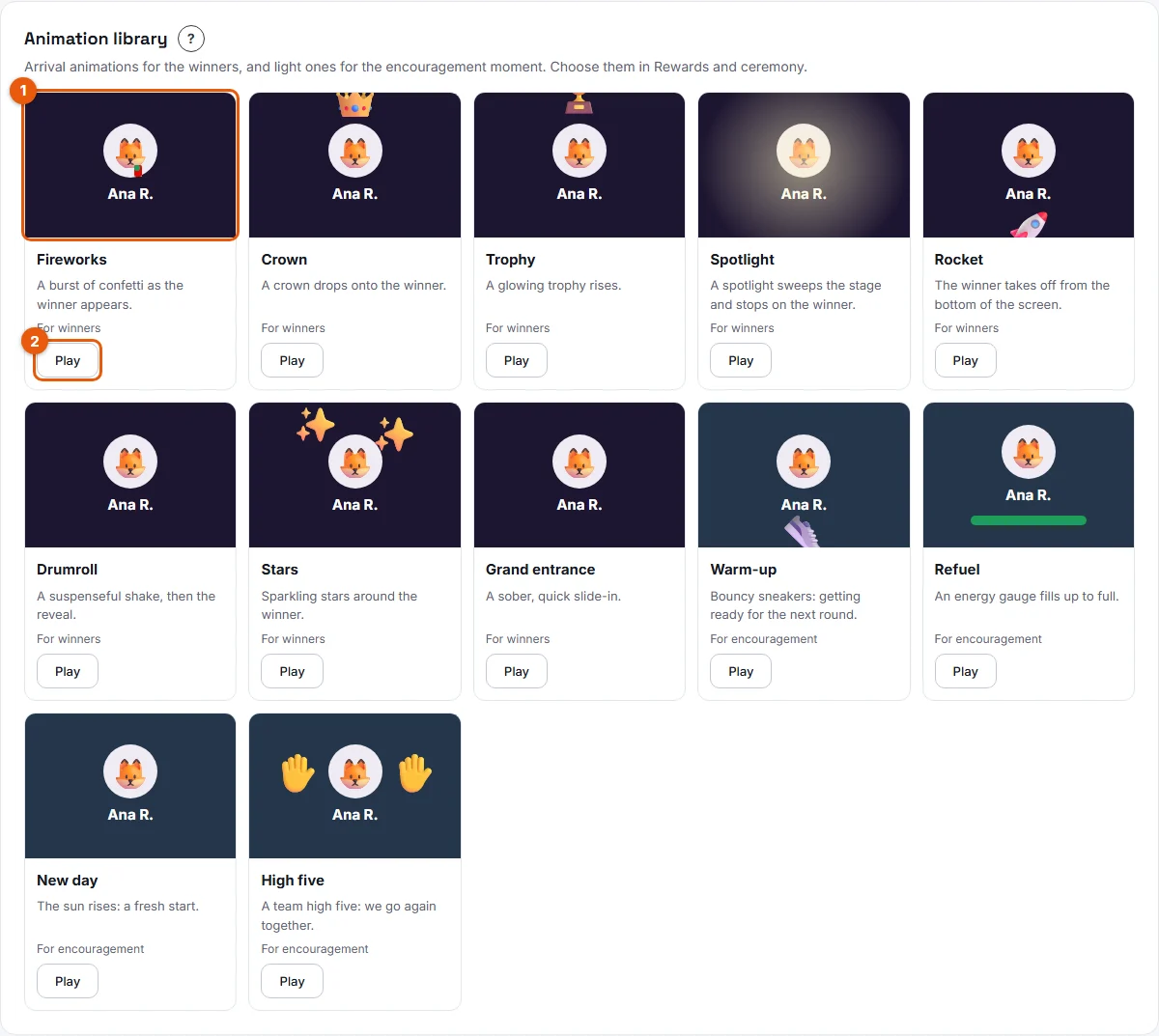
The 12 built-in animations:
- For winners: Fireworks, Crown, Trophy, Spotlight, Rocket, Drumroll, Stars, Grand entrance.
- For encouragement: Warm-up, Refuel, New day, High five. These are deliberately light and friendly.
Choose an animation for each place
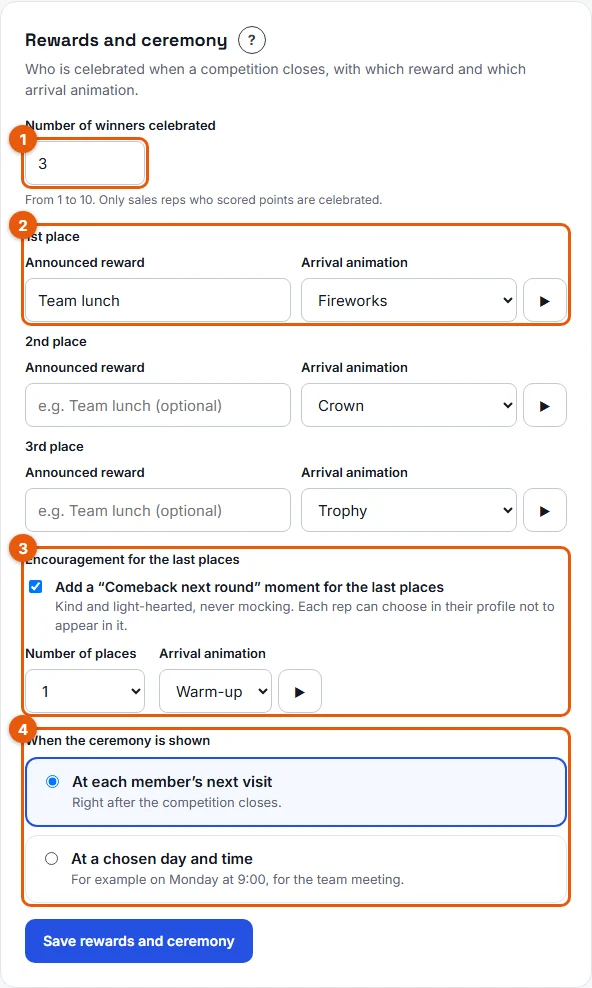
- In Settings > Rewards and ceremony, find each place under Number of winners celebrated.
- In Arrival animation, pick one of the 8 winner animations. Click ▶ to preview it right there.
- If the encouragement moment is on, pick its Arrival animation among the 4 encouragement animations.
- Click Save rewards and ceremony.
Result
At the next closing, each celebrated rep arrives in the ceremony with the animation of their place.
Good to know
- The defaults are Fireworks for 1st place, Crown for 2nd, Trophy for 3rd and Spotlight from 4th place on.
- The same animation can be used for several places.
- Winner animations are only offered for winners, and encouragement animations only for the encouragement moment.
- If a device is set to reduce motion, animations are not played: the final state is shown directly.
- You cannot upload your own animations. AI-generated animations are announced but not available yet.
FAQ
Can sales reps see the library?
No. It is in the Manager area. Reps see the animations during the ceremony.
Why does Play show nothing moving?
Your device is probably set to reduce motion. See Animations are turned off.