How to send a cheer to a colleague
Celebrate a colleague's good action with an animation that stars them, or a GIF, and a short message, from their performance page.
A cheer is a small animated thank-you between teammates: a deal won, a day of calls, a hard task done. Your colleague sees it in Stoloros, with their own face and nickname in the animation, and receives it by email if they want.
Who it's for
Sales reps and managers · Free plan
Before you start
- Cheers are on for your team: your manager controls this in the Emails settings.
- Your colleague has not turned off Receive cheers from teammates in their profile.
Steps
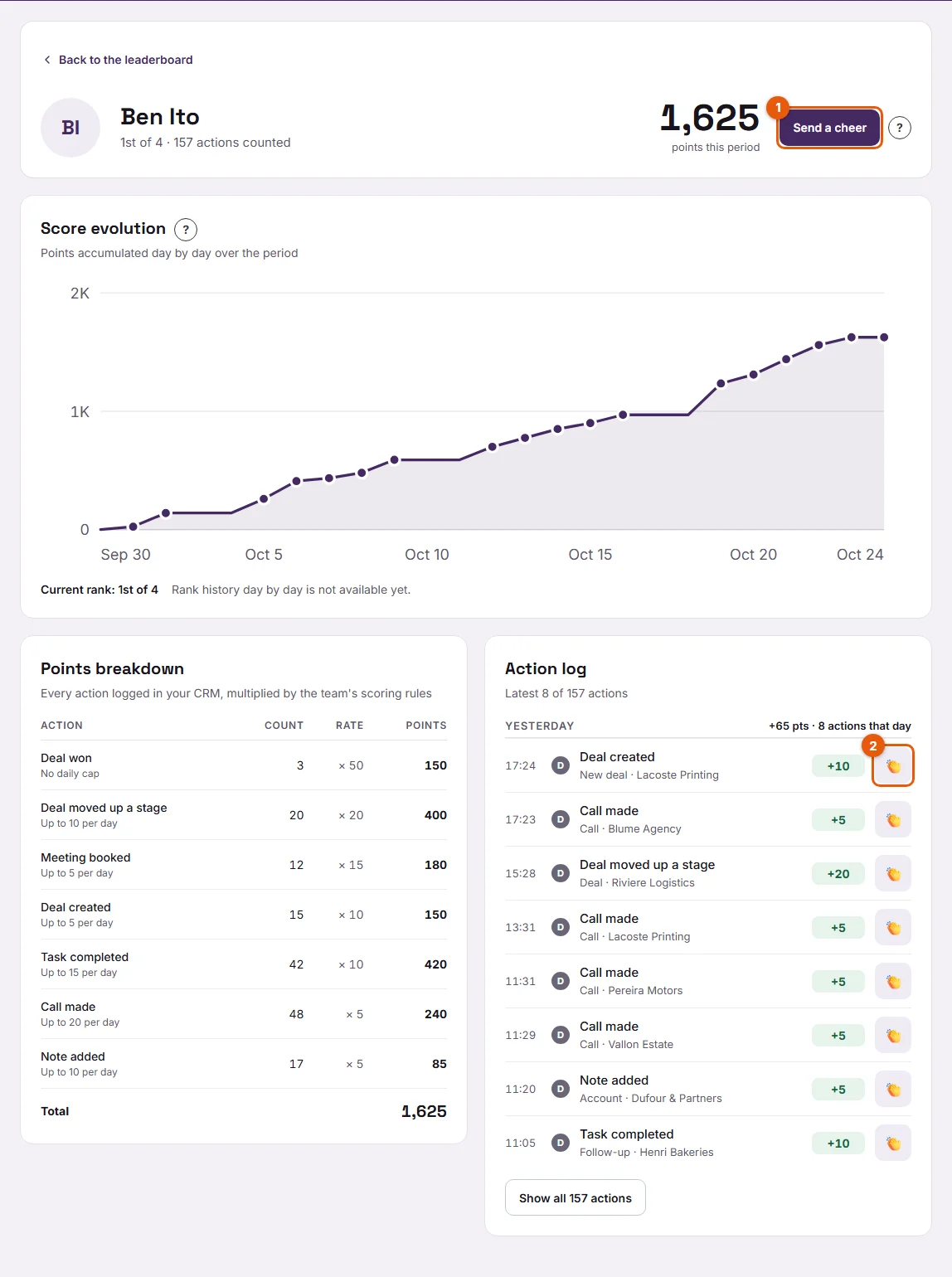
- On the Leaderboard, click your colleague's name. Their performance page opens.
- Click Send a cheer (1 on the screenshot) next to their name for a general cheer, or the clap button at the end of an action in the Action log (2) to cheer that exact action. The cheer then says what it is for, for example "For a deal won".
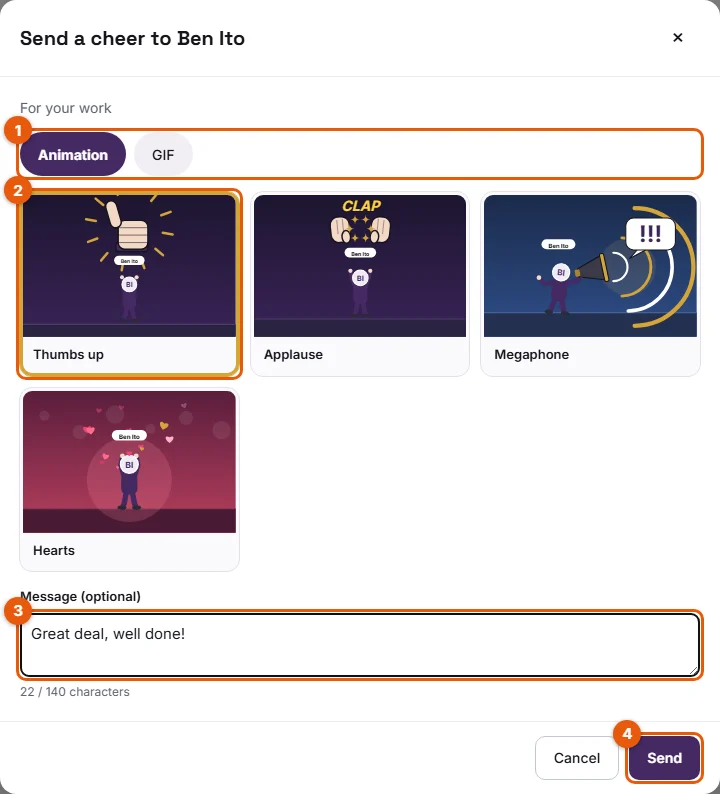
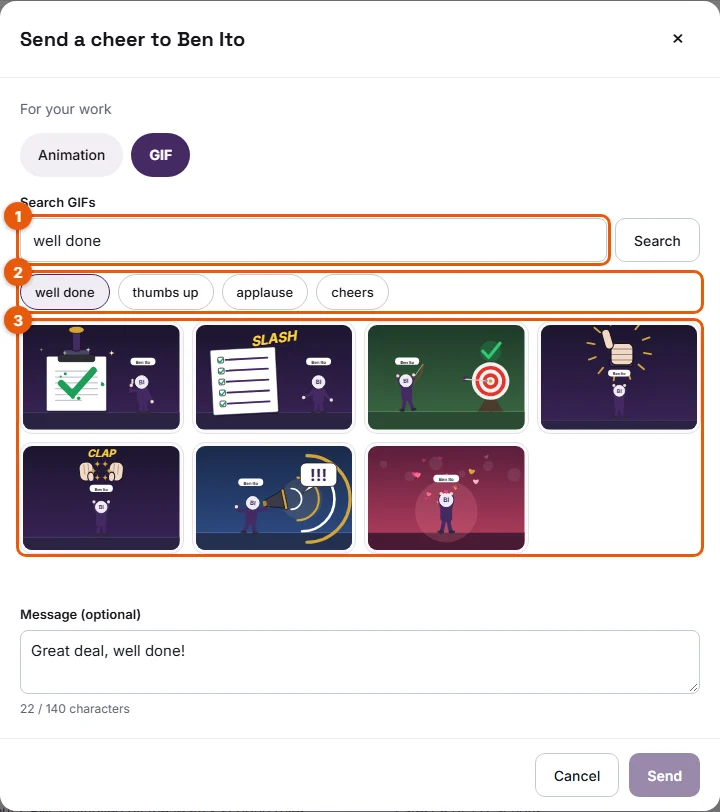
- In the dialog, choose a tab (1):
- Animation: Stoloros animations that match the event, played with your colleague's avatar and nickname. Click one to select it (2).
- GIF: search the GIF bank with a word or one of the suggestions. Click a GIF to select it. The attribution under the results tells you where the GIFs come from.
- Optional: type a Message (3), up to 140 characters. A counter shows what is left.
- Click Send (4).
Result
A message confirms "Your cheer is on its way to …". Your colleague sees a badge on the Cheers button of the top bar, and the cheer opens by itself at their next visit. If they receive cheer emails, they also get it by email, animation included.
Good to know
- Each member can send up to 10 cheers a day and receive up to 5. Beyond that, Stoloros answers "You have sent 10 cheers today. Come back tomorrow!" or "This member already received 5 cheers today."
- Messages are checked before sending: insults, sexual content and harassment are refused, in English and in French. Links are not accepted either. A refused message is never sent.
- You cannot cheer yourself.
- Without a GIF bank key on your Stoloros hosting, the GIF tab offers the Stoloros animations of the Notifications category instead. With the GIPHY bank, results are filtered to the strictest rating and the attribution "Powered By GIPHY" appears.
- Managers see every cheer of the team in the Cheers log.
- Animations play with your colleague's avatar and nickname, exactly as they will see them.
FAQ
The Send a cheer button says cheers are disabled. Why?
Your manager turned cheers off for the team, or your colleague does not receive cheers. See Why was my cheer refused?.
Can I cheer someone who is not on the leaderboard?
No. Cheers go to members of the leaderboard, from their performance page.
Can I delete a cheer I sent?
No. Think of it as a card you handed over.