How to choose or change your team type
Choose between a sales team and a project team when you create your account, and switch from one to the other later in the settings.
Stoloros works for two kinds of teams. A Sales team earns points from its CRM (Brevo, HubSpot…): deals, meetings, calls. A Project team earns points from its project tool (Asana, Monday.com, Wrike): completed tasks, milestones, delivered projects. The team type sets the tools, the scoring rules, the leaderboard columns and the vocabulary.
Who it's for
Managers · Free plan
Choose it when you create your account
- Choose the language, then click Continue.
- Under What kind of team is it?, choose Sales team or Project team and click Continue.
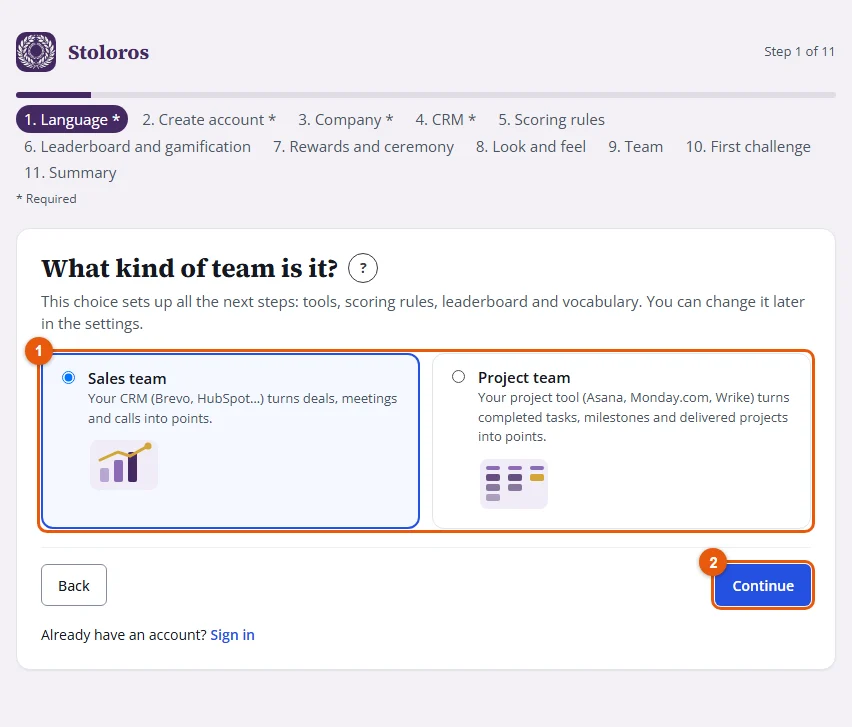
- Finish the setup wizard. See How to set up Stoloros with the setup wizard.
Change it later
- Open Manager Area and scroll to Settings > Team type. The card shows your current type.
- Click Switch to Project team (or Switch to Sales team), then Confirm the switch.
Result
"Team type changed." confirms it. The current competition closes and is archived, the history is kept, and the scoring rules are replaced by those of the new type.
Run the setup wizard again
In Settings > Team type, click Run the setup wizard again. Your settings are kept; the wizard opens at the Company step, and you finish it with Launch Stoloros as the first time. It does not bring back demo data.
Good to know
- One account is one team, of one type.
- Members, past competitions and points already earned stay as they are when you change the type.