Arrows and arrival animation
Arrows show who moved up or down, and the arrival animation replays what changed since your last visit.
Each time you open the leaderboard, it comes to life: rows move to their new places, points count up and arrows show the trend.
Who it's for
Sales reps and managers · Free plan
Before you start
- You are signed in and on the Leaderboard.
Steps
- Open the Leaderboard. The arrival animation starts on its own.
- Watch the rows slide from their previous positions to their new ones.
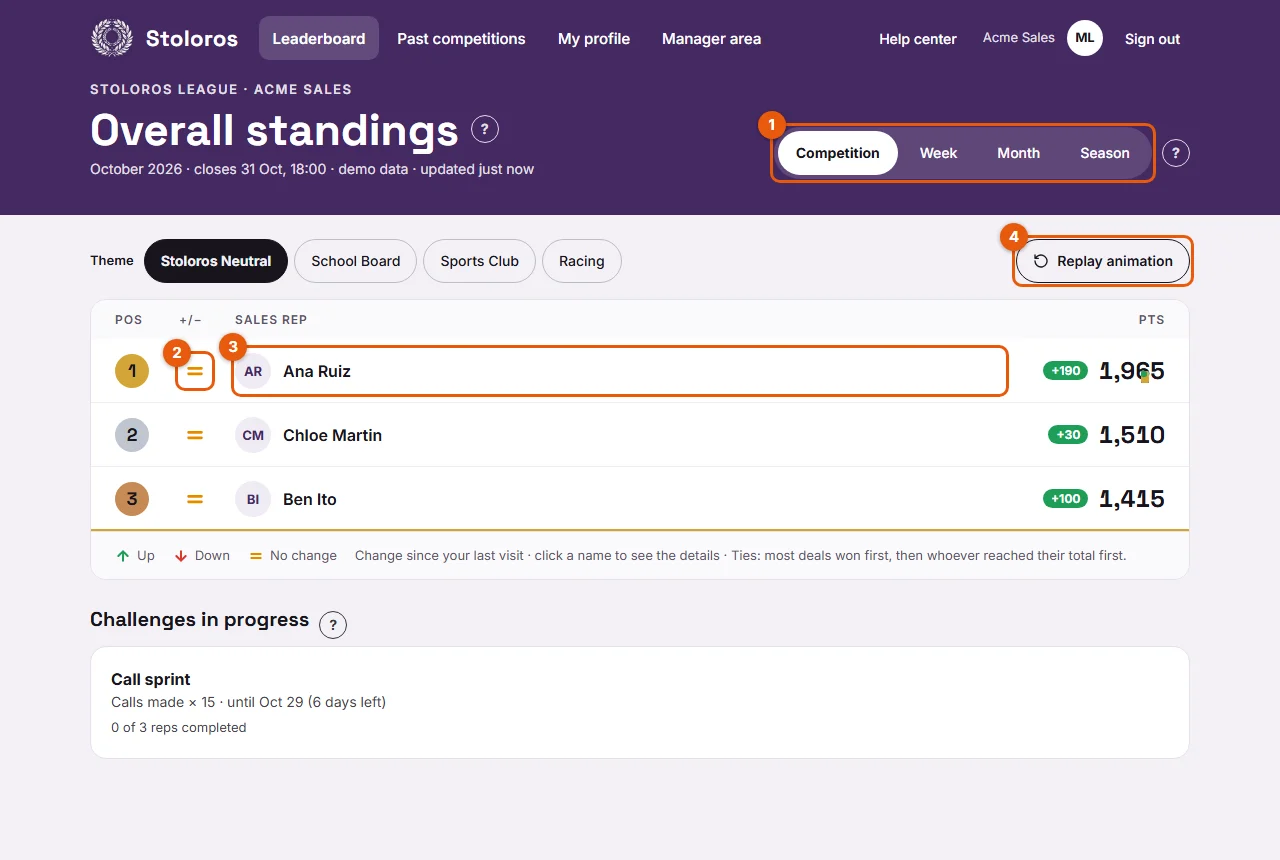
- Watch the points count up to the new score. A green "+N" badge shows the points each rep earned since your last visit.
- If a rep won a deal since your last visit, confetti bursts over their score.
- Read the arrows in the +/− column (2): green up arrow for Up, red down arrow for Down, orange equal sign for No change.
- To watch it again, click Replay animation (4).
Result
In a few seconds, you see who progressed, who dropped and who closed a deal.
Good to know
The arrows compare your position with a reference that depends on the tab. The legend under the table names it.
| Tab | Arrows compare with | Legend |
|---|---|---|
| Week | the previous week | Change since last week |
| Month | the previous month | Change since last month |
| Season | the standings at the end of last week | Change since last week's standings |
| Competition | your last visit | Change since your last visit |
- The "+N" badge and the confetti always refer to your last visit, whatever the tab.
- The animation also plays again when you switch tab or when a manager changes the theme.
- If "reduce motion" is turned on in your device settings, Stoloros skips the animation and shows the final standings directly.
- Clicking a name during the animation stops it and opens that rep's performance.
FAQ
The leaderboard does not move at all. Why?
Your device probably asks apps to reduce motion. See Animations are disabled.
I see no "+N" badge. Is something wrong?
No. The badge appears only for reps who earned points since your last visit.