How to read the leaderboard
The leaderboard ranks every rep of your team by points, from first to last, for the period you choose.
The leaderboard is the main screen of Stoloros. It opens as soon as you sign in and shows where everyone stands.
Who it's for
Sales reps and managers · Free plan
Before you start
- You are signed in to Stoloros.
- Your manager has connected the team's CRM, or the team is using demo data.
Steps
- Click Leaderboard in the top menu if you are on another page.
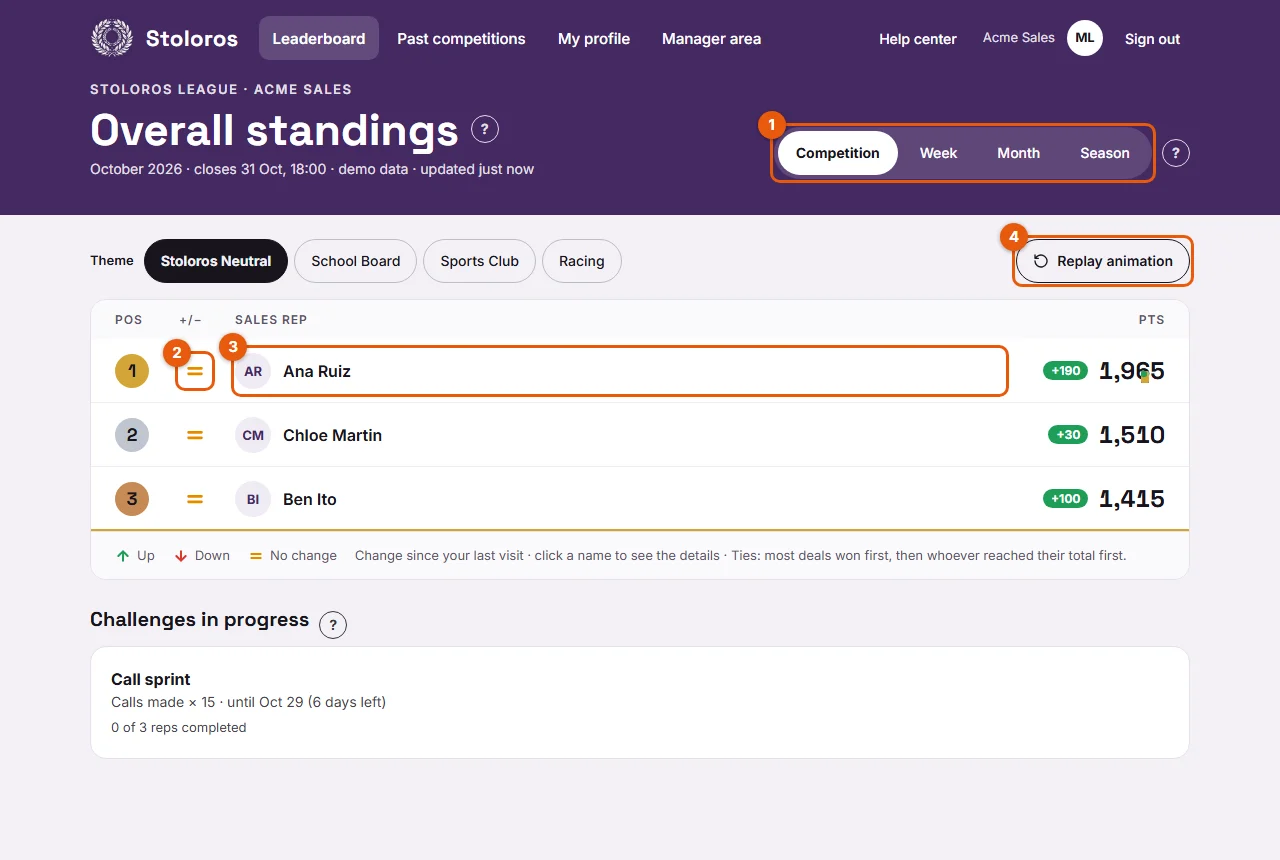
- Look at the header. Under the title, a line gives the period (for example "Season 2026 · October"), then demo data if the team uses demo data, then the time of the last update, such as updated just now.
- Pick a period with the tabs (1). Competition is selected by default.
- Read the table, one row per rep:
- Pos: the position. The top 3 are highlighted.
- +/−: the change in position (2).
- Sales rep: the name or nickname. Your own row carries the You tag.
- Pts: the points for the period.
- A star next to the points means the rep received a manager award. Hover over it or tap it to see the awards of the period, under Manager bonus.
- Click a name (3) to see how that rep earned their points.
Result
You see your rank and your gap with the others. The legend under the table explains the arrows and reminds you that you can click a name.
Good to know
- Opening the leaderboard also reads the CRM again, at most every 2 minutes. New actions can appear a moment later.
- In the Competition tab, ties are split by most deals won, then by who reached their total first. The legend says: "Ties: most deals won first, then whoever reached their total first." In the other tabs, tied reps are listed in alphabetical order.
- Managers see theme buttons above the board, next to Theme, to switch the board's look for the whole team.
- A manager appears on the leaderboard only after clicking Join the leaderboard in Team members.
- With demo data, the rows show 35 days of simulated activity. Demo data is removed as soon as the CRM is connected.
FAQ
Why am I not on the leaderboard?
Your invitation may still be pending, or your account was deactivated. Ask your manager to check Team members.
My points look too low. What can I check?
Open your performance to see each action and its points. See Missing points.