How to receive and replay cheers
A cheer from a colleague opens by itself at your next visit, with your face in the animation. Find all your cheers behind the Cheers button and replay them.
When a teammate cheers you, Stoloros shows it to you the next time you open the app, and keeps it so you can watch it again.
Who it's for
Sales reps and managers · Free plan
How it works
- The Cheers button in the top bar shows a red badge with the number of new cheers. Stoloros checks for new cheers when you arrive, every minute and when you come back to the tab.
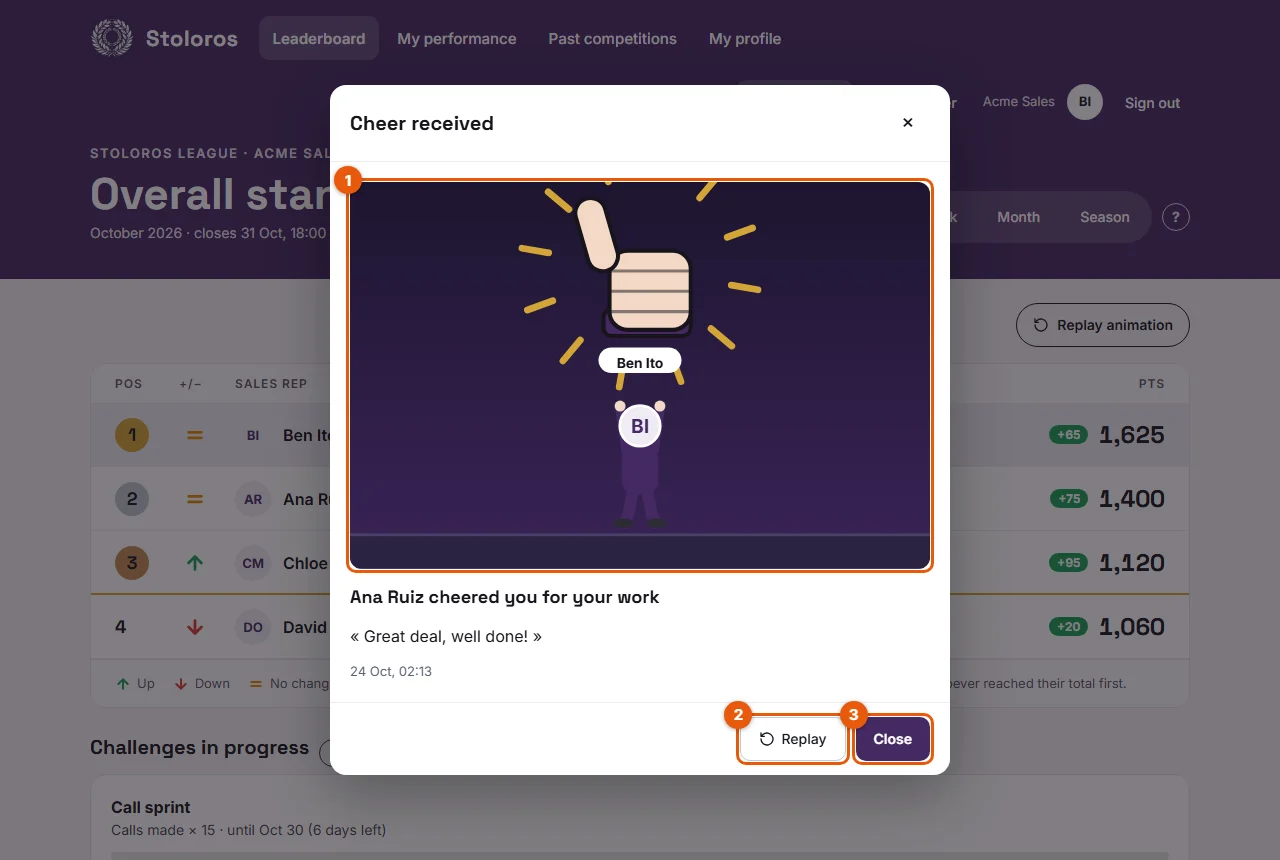
- The first new cheer opens by itself in a Cheer received window: the animation plays with your avatar and your nickname (1 on the screenshot), or the GIF your colleague chose. Under it, who cheered you and for what, for example "Ana Ruiz cheered you for a deal won", their message and the date.
- Click Replay (2) to watch the animation again, and Close (3) to mark the cheer as seen.
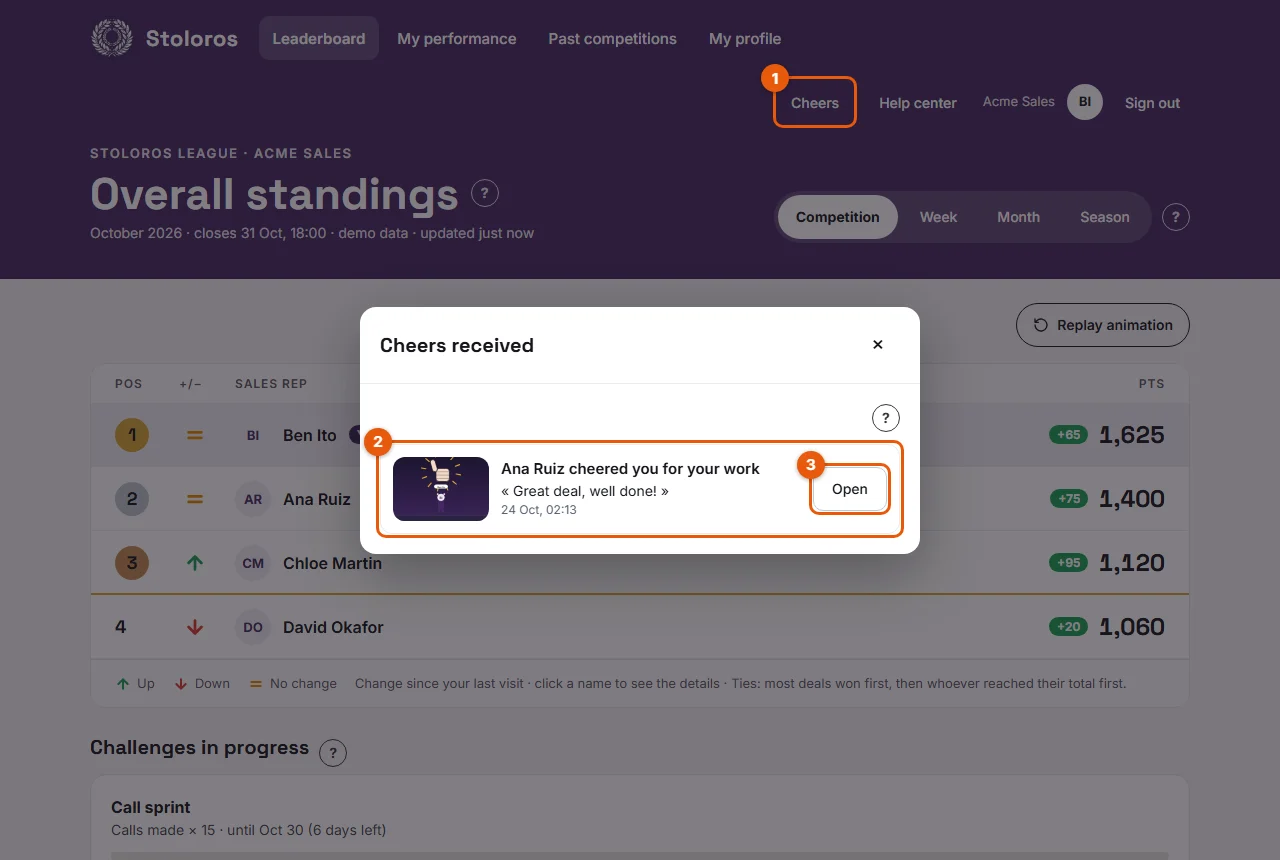
- Click Cheers (1) at any time to open Cheers received: every cheer, newest first (2), the unseen ones marked New. Click Open (3) to watch one again.
- If the Cheers from teammates email is on for you, you also receive each cheer by email, with the animation as a GIF.
Good to know
- Animations use the avatar and nickname from My profile. Change them there and your next cheers follow.
- Each member can receive up to 5 cheers a day: a quiet guard against floods.
- To stop receiving cheers entirely, turn off Receive cheers from teammates in My profile > Emails. To keep them in Stoloros but without emails, untick Cheers from teammates instead.
- Cheers are kept: you can come back to them later from the Cheers button.
- If your device is set to reduce motion, the animation shows its final image instead of playing.
FAQ
I closed the window too fast. Is the cheer lost?
No. Click Cheers in the top bar and open it again.
Why did nobody cheer me yet?
Your teammates send cheers from your performance page. The list says so when it is empty: "No cheers yet. Your teammates can cheer you from your performance page."