First steps for managers after the launch
A recommended path for your first week: check the CRM, invite the team, launch a challenge and follow the activity.
You have launched Stoloros. Here is a simple path for your first week, so that every rep earns points from day one.
Who it's for
Managers · Free plan
Before you start
- You finished the setup wizard and clicked Launch Stoloros.
- Everything below happens in the Manager area, from the top menu.
Steps
- Connect your CRM if you skipped it. In the Connect your CRM card, paste your Brevo API key and click Connect Brevo. Demo data disappears as soon as a CRM is connected. Only actions logged from now on earn points.
- Check the User matching section of the CRM card. Each CRM user must match a member with the same email. For a rep who uses another address in the CRM, open Team members and use "CRM user: … Change".
- Invite the reps who are missing. In Team members, fill in Name, Work email and Role, then click Send invitation. Use Resend invitation for anyone still marked Invitation pending.
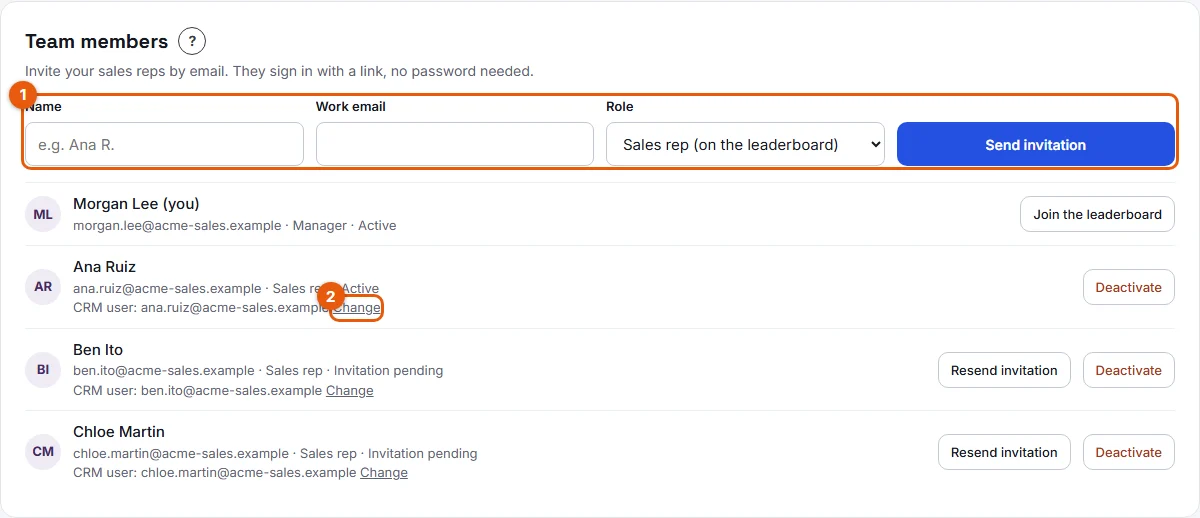
- Decide whether you play too. On your own row in Team members, click Join the leaderboard if you want to appear in the standings.
- Launch a challenge around one CRM habit. In Challenges, click Launch a challenge, then fill in Challenge name, Metric, Target per sales rep, Duration and Announced reward, and click Launch the challenge.
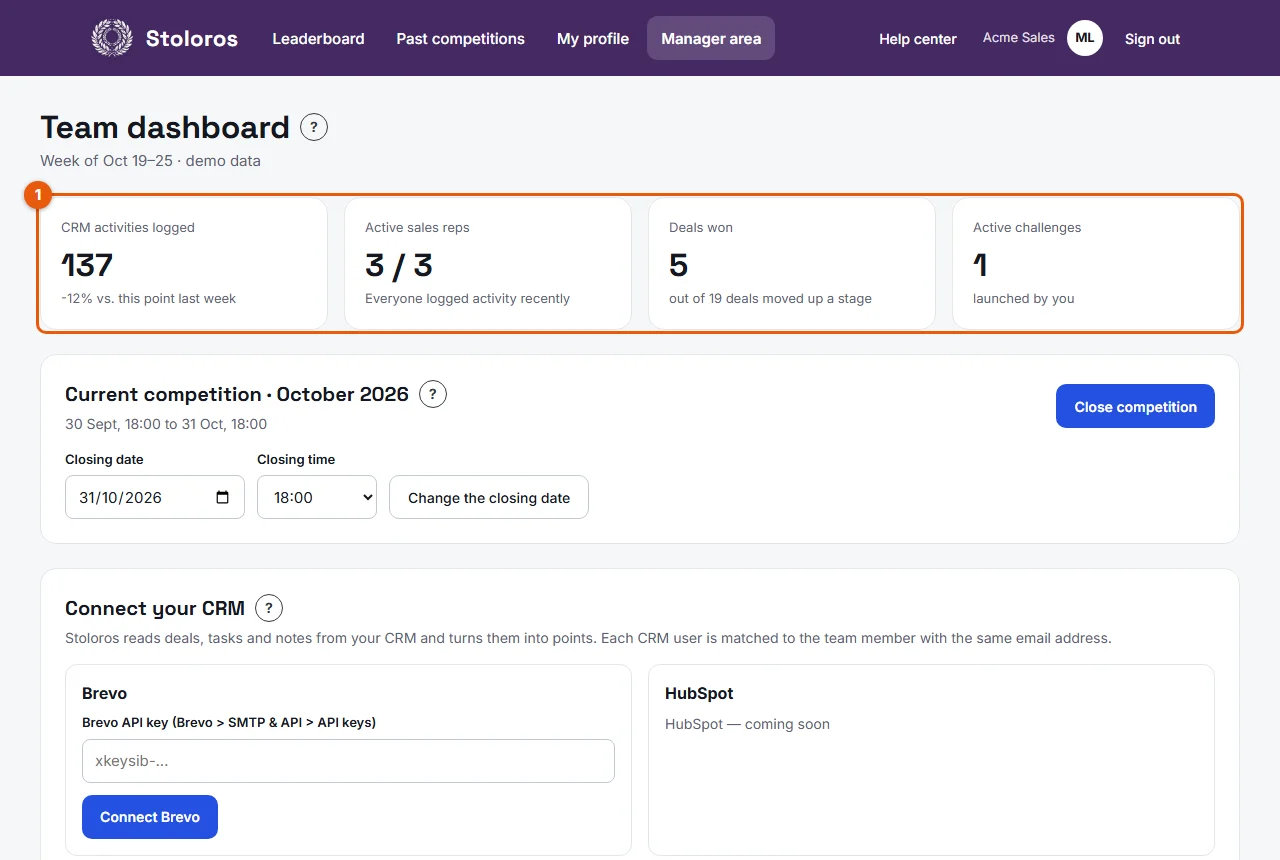
- Look at the team dashboard once or twice a week. This week's indicators (marked 1) show CRM activities logged, active sales reps, deals won and active challenges. Team activity this week (2) shows the last activity of each rep; it turns red after 3 days without activity.
- Reward what the CRM does not see. Use Award points for a great demo or a helpful hand to a colleague: up to 500 points per award by default.
- Check the Current competition card. It shows the closing date. The competition closes on its own, or you can click Close competition for a team meeting.
Result
Your reps see their points move on the Leaderboard, follow the challenge below it, and get a ceremony when the competition closes.
Good to know
- Stoloros reads the CRM when someone opens the leaderboard (at most every 2 minutes), once a day, and when you click Sync now in the CRM card.
- With Brevo, calls made and meetings booked are not available: these criteria earn no points.
- Changes to the scoring rules apply to actions logged from then on. Past points never change.
FAQ
A rep tells me their points are missing. Where do I look first?
Check the User matching section, then the rep's Individual performance: click their name on the leaderboard. See Missing points.
Should I join the leaderboard as a manager?
It is your choice. Staying off keeps the spotlight on the reps; joining lets you play with them. You can join or leave at any time, and past actions are kept.