First steps for sales reps
From the invitation email to your first points: join the leaderboard, understand your score and set up your profile.
Your manager invited you to Stoloros. Keep working in your CRM as usual: Stoloros turns your actions into points and shows them on the team leaderboard.
Who it's for
Sales reps · Free plan
Before you start
- You received an email "You're invited to … on Stoloros". The link in it is valid for 7 days.
- Nothing to install and no password to create.
Steps
- In the invitation email, click Join the leaderboard.
- On the page that opens, click Continue to Stoloros. You land on the Leaderboard.
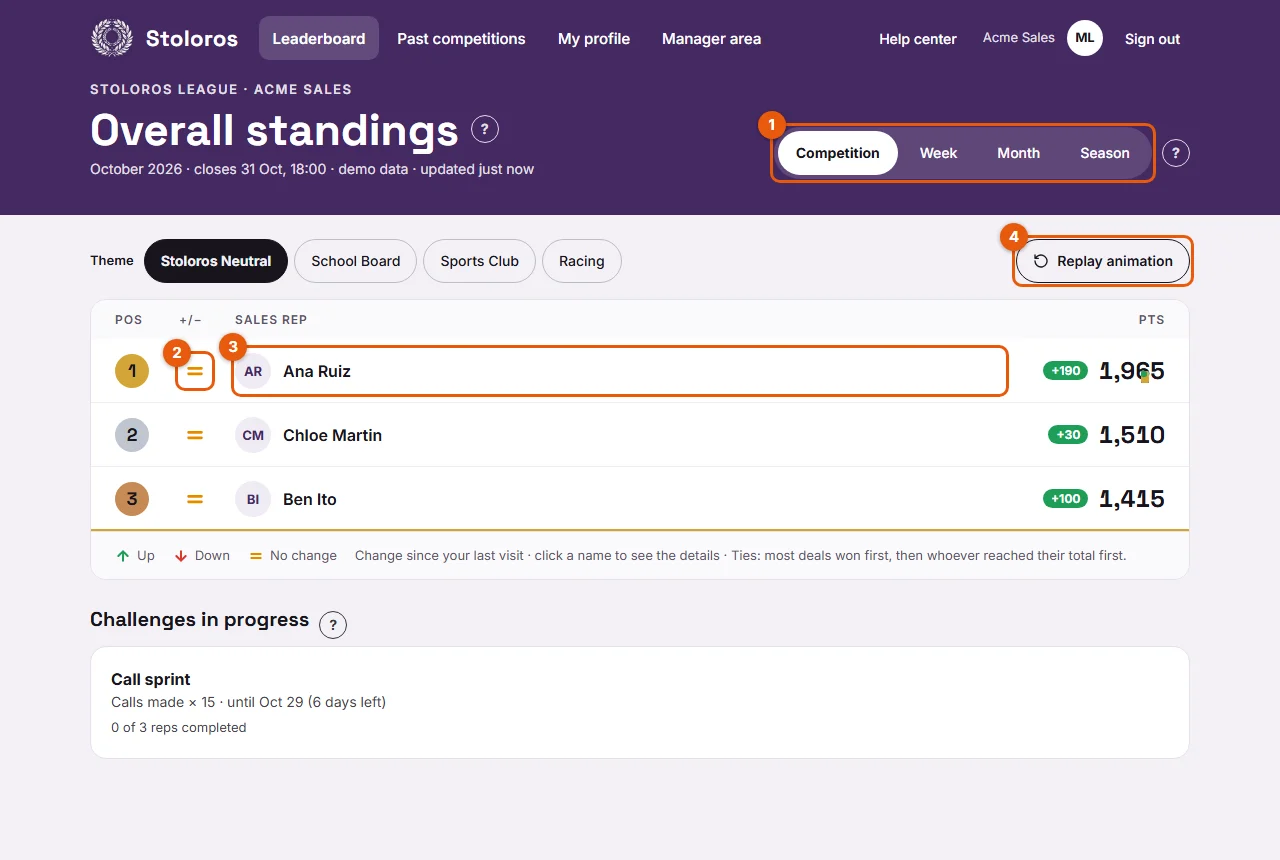
- Read the leaderboard. Use the period tabs at the top (marked 1). The arrows (2) show who moved up or down. Click a name (3) to see how that person earned their points. Replay animation (4) plays the arrival animation again.
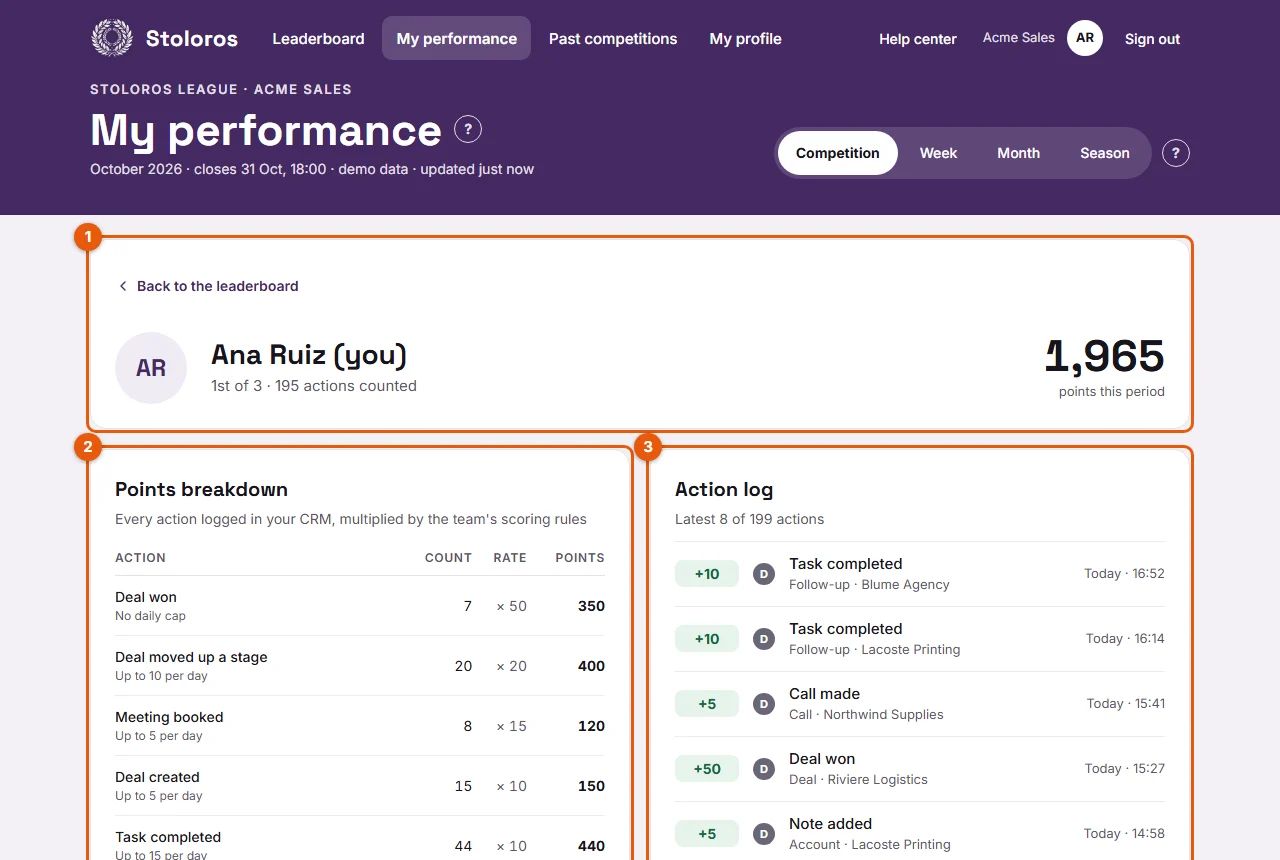
- Open My performance from the top menu. You see your total and rank (marked 1), the Points breakdown (2) with the points of each action type, and the Action log (3) with each action.
- Look below the leaderboard for Challenges in progress. Your progress bar shows how far you are from the target.
- Open My profile from the top menu. Add a Nickname (optional), pick an Avatar or keep My initials, then click Save.
Result
You are on the leaderboard. Each deal, task or note you log in the CRM from now on earns points. When you come back, the leaderboard animates what changed since your last visit, with a "+N" badge for the points you earned.
Good to know
- Your total always equals the sum of the lines in your action log. Nothing is hidden.
- Some actions have a daily cap. Actions beyond the cap are logged but earn no points: you see "Daily cap reached, not counted" in your action log.
- Your manager can give you bonus points for effort the CRM does not capture. They appear with a star on the leaderboard.
- When a competition closes, a ceremony celebrates the winners. You see it once; you can replay it from Past competitions.
- To sign in again later, enter your work email on the Sign in page and click the link you receive.
FAQ
My invitation link has expired. What do I do?
Invitation links are valid for 7 days. Ask your manager to click Resend invitation.
I logged an action in the CRM, but I do not see the points.
Stoloros reads the CRM when someone opens the leaderboard (at most every 2 minutes) and once a day. Wait a few minutes and reload. If points are still missing, see Missing points.
Can my colleagues see my details?
Yes. Anyone on the team can click your name and see the same view as your My performance. You can see theirs too.